Wow, I've been playing around with this new technology that just became available for Linux called Flatpaks. It's a sandboxed environment where applications run in self-sustained packages and those individual
packages,no matter what they are, are fully compatible with any version of Linux.
On Tue, 7 Apr 2026 19:35:43 -0000 (UTC), CtrlAltDel wrote:
Wow, I've been playing around with this new technology that just becameIt's "wow" only for an asshole like you.
available for Linux called Flatpaks. It's a sandboxed environment where
applications run in self-sustained packages and those individual
packages,no matter what they are, are fully compatible with any version
of Linux.
The same thing can be done with static linking, and this has been true
for eons.
Wow, I've been playing around with this new technology that just became available for Linux called Flatpaks. It's a sandboxed environment where applications run in self-sustained packages and those individual
packages,no matter what they are, are fully compatible with any version
of Linux.
Wow, I've been playing around with this new technology that just became available for Linux called Flatpaks. It's a sandboxed environment where applications run in self-sustained packages and those individual
packages,no matter what they are, are fully compatible with any version of Linux.
Get this, all the dependencies are built into the package and the programs just freaking work.
It's like magic and I'm having fun learning about it. Try it out. It's probably going to take the computing world by storm as soon as other
people learn about it. I always find the new stuff pretty quick and just thought I'd share this secret with everyone.
Check it out: https://flatpak.org/
Is this concept new to Linux?
On Tue, 07 Apr 2026 22:50:05 +0000, Distro Lackey wrote:
On Tue, 7 Apr 2026 19:35:43 -0000 (UTC), CtrlAltDel wrote:
Wow, I've been playing around with this new technology that justIt's "wow" only for an asshole like you.
became available for Linux called Flatpaks. It's a sandboxed
environment where applications run in self-sustained packages and
those individual packages,no matter what they are, are fully
compatible with any version of Linux.
The same thing can be done with static linking, and this has been true
for eons.
You likely don't understand what I'm talking about. I'm discussing an original idea that I had wherein an app could be self-contained and even portable.
I'm trying to come up with a catchy name for it. What about something
like Portable Image of An App?
On Tue, 7 Apr 2026 21:37:06 -0400, Denny wrote:
Is this concept new to Linux?
Yes it is. And for the obvious reason: it’s targeted at providers of proprietary apps, to make Linux more friendly to their business model.
On Tue, 7 Apr 2026 21:37:06 -0400, Denny wrote:
Is this concept new to Linux?
Yes it is. And for the obvious reason: it’s targeted at providers of proprietary apps, to make Linux more friendly to their business model.
Meanwhile, Microsoft keeps trying to implement Linux-style systemwide integrated package management for Windows. After years of trying, this <https://learn.microsoft.com/en-us/windows/package-manager/winget/> is
how far they’ve got.
GUI? What GUI?
On Wed, 8 Apr 2026 00:10:48 -0000 (UTC), CtrlAltDel wrote:
On Tue, 07 Apr 2026 22:50:05 +0000, Distro Lackey wrote:
On Tue, 7 Apr 2026 19:35:43 -0000 (UTC), CtrlAltDel wrote:
Wow, I've been playing around with this new technology that justIt's "wow" only for an asshole like you.
became available for Linux called Flatpaks. It's a sandboxed
environment where applications run in self-sustained packages and
those individual packages,no matter what they are, are fully
compatible with any version of Linux.
The same thing can be done with static linking, and this has been true
for eons.
You likely don't understand what I'm talking about. I'm discussing an
original idea that I had wherein an app could be self-contained and even
portable.
I'm trying to come up with a catchy name for it. What about something
like Portable Image of An App?
How about AppImage? Oop, sorry, taken.
On Tue, 7 Apr 2026 19:35:43 -0000 (UTC), CtrlAltDel wrote:
Wow, I've been playing around with this new technology that just became
available for Linux called Flatpaks. It's a sandboxed environment where
applications run in self-sustained packages and those individual
packages,no matter what they are, are fully compatible with any version
of Linux.
You're about 10 years late to the party. Snaps have also been around for about 10 years, although I prefer flatpak or AppImage. The name changed a couple of times but the AppImage concept is even older.
One thing I ran into recently is Fedora has their own flatpak repository.
No problem using flatpaks from other sources if a search of default Fedora doesn't find what you're looking for. That's the cli flatpak; Discover may already use other repositories but I seldom use it.
Wow, I've been playing around with this new technology that just became available for Linux called Flatpaks. It's a sandboxed environment where applications run in self-sustained packages and those individual
packages,no matter what they are, are fully compatible with any version of Linux.
AppImage is the best "portable" package format I've used. FlatPak is
OK,
but it seems a bit gross to have a shadow package mangement system,
and the sandboxing causes issues sometimes.
On Tue, 7 Apr 2026 19:35:43 -0000 (UTC), CtrlAltDel wrote:
Wow, I've been playing around with this new technology that just became
available for Linux called Flatpaks. It's a sandboxed environment where
applications run in self-sustained packages and those individual
packages,no matter what they are, are fully compatible with any version of >> Linux.
Get this, all the dependencies are built into the package and the programs >> just freaking work.
It's like magic and I'm having fun learning about it. Try it out. It's
probably going to take the computing world by storm as soon as other
people learn about it. I always find the new stuff pretty quick and just >> thought I'd share this secret with everyone.
Check it out: https://flatpak.org/
That sounds like what Windows has been doing for years.
Include most of the dll's and other files in order to make the newer
program work.
And for exceptions like Microsoft .net or C++ the install program automatically links to those updates so you can download them.
Is this concept new to Linux?
On Wed, 8 Apr 2026 00:10:48 -0000 (UTC), CtrlAltDel wrote:
On Tue, 07 Apr 2026 22:50:05 +0000, Distro Lackey wrote:
On Tue, 7 Apr 2026 19:35:43 -0000 (UTC), CtrlAltDel wrote:
Wow, I've been playing around with this new technology that justIt's "wow" only for an asshole like you.
became available for Linux called Flatpaks. It's a sandboxed
environment where applications run in self-sustained packages and
those individual packages,no matter what they are, are fully
compatible with any version of Linux.
The same thing can be done with static linking, and this has been true
for eons.
You likely don't understand what I'm talking about. I'm discussing an
original idea that I had wherein an app could be self-contained and even
portable.
I'm trying to come up with a catchy name for it. What about something
like Portable Image of An App?
How about AppImage? Oop, sorry, taken.
On 2026-04-08, rbowman <bowman@montana.com> wrote:
On Wed, 8 Apr 2026 00:10:48 -0000 (UTC), CtrlAltDel wrote:
On Tue, 07 Apr 2026 22:50:05 +0000, Distro Lackey wrote:
On Tue, 7 Apr 2026 19:35:43 -0000 (UTC), CtrlAltDel wrote:
Wow, I've been playing around with this new technology that justIt's "wow" only for an asshole like you.
became available for Linux called Flatpaks. It's a sandboxed
environment where applications run in self-sustained packages and
those individual packages,no matter what they are, are fully
compatible with any version of Linux.
The same thing can be done with static linking, and this has been true >>>> for eons.
You likely don't understand what I'm talking about. I'm discussing an
original idea that I had wherein an app could be self-contained and even >>> portable.
I'm trying to come up with a catchy name for it. What about something
like Portable Image of An App?
How about AppImage? Oop, sorry, taken.
AppImage is the best "portable" package format I've used. FlatPak is
OK, but it seems a bit gross to have a shadow package mangement system,
and the sandboxing causes issues sometimes.
Snap is just awful. Solid NO from me for that.
AppImage though is very straight forward for the end user.
On 2026-04-08, Denny <dennyssuperslam11409@mail.com> wrote:
...
That sounds like what Windows has been doing for years.
Include most of the dll's and other files in order to make the newer
program work.
...
It's not the same thing. A well made AppImage or Flatpak includes
the needed libraries within the AppImage or Flatpak, isolated from
the main operating system.
On 4/9/26 01:02, RonB wrote:
On 2026-04-08, Denny <dennyssuperslam11409@mail.com> wrote:
...
That sounds like what Windows has been doing for years.
Include most of the dll's and other files in order to make the newer
program work.
...
It's not the same thing. A well made AppImage or Flatpak includes the
needed libraries within the AppImage or Flatpak, isolated from the
main operating system.
Agreed. The Flatpak model is Linux's attempt to copy Apple's "drag n
drop" install (& removal) paradigm. where everything is self-contained.
Now Apple's original "Classic" Mac OS had drag-n-drop but it also could include adding OS extensions, which had issues with conflicts (similar
to .dll hell).
However, while at NEXT, Steve Jobs's teams developed a more fully self contained solution which didn't have this extensions issue, which was brought back with him to Apple and supposedly incorporated into OS X,
where today its a MacOS ".app" bundle which has the GUI paradigm of
being a folder which one drops to install/delete.
I agree with Steve Jobs's approach to program installation. Applications
are tools in the same way that a typewriter would be. If the computer is your desk, you would put the typewriter on it to do a job and
potentially remove it once done. With his approach to applications, the
tool itself would cleanly remove itself from the top of the desk. The
way it works with operating systems in general, the moment you put the typewriter on the desk and proceed to remove it, the toner cartridge and paper would remain on the desk for no reason.
Except that you don't exactly drag and drop Flatpaks. However, I agree
with the rest. I am appreciative of programs that are self-contained
and cleanly remove themselves from a system. After all, if you
uninstall a Flatpak, you also uninstall everything needed to make it
work. Using a distribution's only packages is definitely not as clean.
I agree with Steve Jobs's approach to program installation.
Applications are tools in the same way that a typewriter would be. If
the computer is your desk, you would put the typewriter on it to do a
job and potentially remove it once done. With his approach to
applications, the tool itself would cleanly remove itself from the top
of the desk. The way it works with operating systems in general, the
moment you put the typewriter on the desk and proceed to remove it,
the toner cartridge and paper would remain on the desk for no reason.
When talking about drag and drop install, AppImage fits the definition
better than Flatpak -- You double click it, and it starts like any other Linux executable.
You can even install it wherever you want.
Downside
is that you might have to write your own .application to make it appear
in the start menu.
Except that you don't exactly drag and drop Flatpaks. However, I agree with the rest. I am appreciative of programs that are self-contained
and cleanly remove themselves from a system. After all, if you
uninstall a Flatpak, you also uninstall everything needed to make it
work. Using a distribution's only packages is definitely not as clean.
Though, when you uninstall an AppImage, you still get to keep whatever
the app put in your ~/.config, ~/.local/myapp, ~/.mozilla and/or some
other place, and people will disagree on whether the uninstall is clean.
I guess Macintosh app bundles are in the same league. Simplicity of uninstalling comes at some cost.
Flatpak is better in this regard -- you are expected to put your app and
most private data in ~/.var/com.foo.bar/ as far as I can tell, making
things easier to completely uninstall.
On Tue, 7 Apr 2026 21:37:06 -0400, Denny wrote:
Is this concept new to Linux?
Yes it is. And for the obvious reason: it’s targeted at providers of proprietary apps, to make Linux more friendly to their business model.
Meanwhile, Microsoft keeps trying to implement Linux-style systemwide integrated package management for Windows. After years of trying, this
<https://learn.microsoft.com/en-us/windows/package-manager/winget/> is
how far they’ve got.
GUI? What GUI?
Agreed. I use a couple Flatpaks, but the "sandbox" causes issues
sometimes.
I don't use Snaps at all. And I've got about five AppImages I use.
When talking about drag and drop install, AppImage fits the definition
better than Flatpak -- You double click it, and it starts like any other Linux executable. You can even install it wherever you want. Downside is
that you might have to write your own .application to make it appear in
the start menu.
Instead of trying to reinvent the wheel with Flatpak and Snap, the
faggots developing for Linux could have opted to figure out how to
automate this process instead. Of course, both Snap and Flatpak offer sandboxing advantages that AppImage doesn't have. As such, I can imagine
why they would opt for something different.
Lawrence D’Oliveiro <ldo@nz.invalid> wrote at 03:18 this Wednesday
(GMT):
On Tue, 7 Apr 2026 21:37:06 -0400, Denny wrote:
Is this concept new to Linux?
Yes it is. And for the obvious reason: it’s targeted at providers of
proprietary apps, to make Linux more friendly to their business model.
Meanwhile, Microsoft keeps trying to implement Linux-style systemwide
integrated package management for Windows. After years of trying, this >><https://learn.microsoft.com/en-us/windows/package-manager/winget/> is
how far they’ve got.
GUI? What GUI?
Microsft Store, but nobody actually uses it.
On Thu, 9 Apr 2026 10:25:31 -0400, CrudeSausage wrote:
Instead of trying to reinvent the wheel with Flatpak and Snap, the
faggots developing for Linux could have opted to figure out how to
automate this process instead. Of course, both Snap and Flatpak offer
sandboxing advantages that AppImage doesn't have. As such, I can imagine
why they would opt for something different.
appimaged ans AppImageLauncher automate the process. appimaged has been around for about 8 years.
Noted that you refer to Linux developers as faggots while running back the DEI central when you can't figure out how to use Linux.
candycanearter07 wrote:
Microsft Store, but nobody actually uses it.
I have used it. iirc I installed both putty and a WSL instance through the >store. It never did live up to Microsoft's UWP vision.
rbowman wrote:
candycanearter07 wrote:
Microsft Store, but nobody actually uses it.
I have used it. iirc I installed both putty and a WSL instance through the >> store. It never did live up to Microsoft's UWP vision.
I've used winget to install Powershell on Windows. It worked.
rbowman wrote:
candycanearter07 wrote:
Microsft Store, but nobody actually uses it.
I have used it. iirc I installed both putty and a WSL instance through
the store. It never did live up to Microsoft's UWP vision.
I've used winget to install Powershell on Windows. It worked.
On 2026-04-08, Borax Man <boraxman@geidiprime.invalid> wrote:
On 2026-04-08, rbowman <bowman@montana.com> wrote:
On Wed, 8 Apr 2026 00:10:48 -0000 (UTC), CtrlAltDel wrote:
On Tue, 07 Apr 2026 22:50:05 +0000, Distro Lackey wrote:
On Tue, 7 Apr 2026 19:35:43 -0000 (UTC), CtrlAltDel wrote:
Wow, I've been playing around with this new technology that justIt's "wow" only for an asshole like you.
became available for Linux called Flatpaks. It's a sandboxed
environment where applications run in self-sustained packages and
those individual packages,no matter what they are, are fully
compatible with any version of Linux.
The same thing can be done with static linking, and this has been true >>>> for eons.
You likely don't understand what I'm talking about. I'm discussing an
original idea that I had wherein an app could be self-contained and even >>> portable.
I'm trying to come up with a catchy name for it. What about something
like Portable Image of An App?
How about AppImage? Oop, sorry, taken.
AppImage is the best "portable" package format I've used. FlatPak is
OK, but it seems a bit gross to have a shadow package mangement system,
and the sandboxing causes issues sometimes.
Snap is just awful. Solid NO from me for that.
AppImage though is very straight forward for the end user.
Agreed. I use a couple Flatpaks, but the "sandbox" causes issues sometimes. I don't use Snaps at all. And I've got about five AppImages I use.
On 4/9/26 01:02, RonB wrote:
On 2026-04-08, Denny <dennyssuperslam11409@mail.com> wrote:
...
That sounds like what Windows has been doing for years.
Include most of the dll's and other files in order to make the newer
program work.
...
It's not the same thing. A well made AppImage or Flatpak includes
the needed libraries within the AppImage or Flatpak, isolated from
the main operating system.
Agreed. The Flatpak model is Linux's attempt to copy Apple's "drag n
drop" install (& removal) paradigm. where everything is self-contained.
Now Apple's original "Classic" Mac OS had drag-n-drop but it also could include adding OS extensions, which had issues with conflicts (similar
to .dll hell).
However, while at NEXT, Steve Jobs's teams developed a more fully self contained solution which didn't have this extensions issue, which was brought back with him to Apple and supposedly incorporated into OS X,
where today its a MacOS ".app" bundle which has the GUI paradigm of
being a folder which one drops to install/delete.
On 2026-04-09 2:14 p.m., rbowman wrote:
On Thu, 9 Apr 2026 10:25:31 -0400, CrudeSausage wrote:
Instead of trying to reinvent the wheel with Flatpak and Snap, the
faggots developing for Linux could have opted to figure out how to
automate this process instead. Of course, both Snap and Flatpak offer
sandboxing advantages that AppImage doesn't have. As such, I can imagine >> why they would opt for something different.
appimaged ans AppImageLauncher automate the process. appimaged has been around for about 8 years.
Noted that you refer to Linux developers as faggots while running back the DEI central when you can't figure out how to use Linux.
I can use Linux just fine,
but there is no doubt that fa-
At Thu, 9 Apr 2026 15:53:15 -0400, CrudeSausage <crude@sausa.ge> wrote:
On 2026-04-09 2:14 p.m., rbowman wrote:
On Thu, 9 Apr 2026 10:25:31 -0400, CrudeSausage wrote:
Instead of trying to reinvent the wheel with Flatpak and Snap, the
faggots developing for Linux could have opted to figure out how to
automate this process instead. Of course, both Snap and Flatpak offer
sandboxing advantages that AppImage doesn't have. As such, I can imagine >>>> why they would opt for something different.
appimaged ans AppImageLauncher automate the process. appimaged has been
around for about 8 years.
Noted that you refer to Linux developers as faggots while running back the >>> DEI central when you can't figure out how to use Linux.
I can use Linux just fine,
Pull the other one.
but there is no doubt that fa-
_ _ _ _
| |__ (_) __ _ ___ | |_| |
| '_ \| |/ _` |/ _ \| __| |
| |_) | | (_| | (_) | |_|_|
|_.__/|_|\__, |\___/ \__(_)
|___/
On 2026-04-09 8:44 a.m., -hh wrote:
On 4/9/26 01:02, RonB wrote:
On 2026-04-08, Denny <dennyssuperslam11409@mail.com> wrote:
...
That sounds like what Windows has been doing for years.
Include most of the dll's and other files in order to make the newer
program work.
...
It's not the same thing. A well made AppImage or Flatpak includes the
needed libraries within the AppImage or Flatpak, isolated from the
main operating system.
Agreed. The Flatpak model is Linux's attempt to copy Apple's "drag n
drop" install (& removal) paradigm. where everything is self-contained.
Except that you don't exactly drag and drop Flatpaks. However, I agree
with the rest. I am appreciative of programs that are self-contained and cleanly remove themselves from a system. After all, if you uninstall a Flatpak, you also uninstall everything needed to make it work. Using a distribution's only packages is definitely not as clean.
Now Apple's original "Classic" Mac OS had drag-n-drop but it also could
include adding OS extensions, which had issues with conflicts (similar
to .dll hell).
However, while at NEXT, Steve Jobs's teams developed a more fully self
contained solution which didn't have this extensions issue, which was
brought back with him to Apple and supposedly incorporated into OS X,
where today its a MacOS ".app" bundle which has the GUI paradigm of
being a folder which one drops to install/delete.
I agree with Steve Jobs's approach to program installation. Applications
are tools in the same way that a typewriter would be. If the computer is your desk, you would put the typewriter on it to do a job and
potentially remove it once done. With his approach to applications, the
tool itself would cleanly remove itself from the top of the desk. The
way it works with operating systems in general, the moment you put the typewriter on the desk and proceed to remove it, the toner cartridge and paper would remain on the desk for no reason.
On 2026-04-09 9:53 a.m., makendo wrote:
I agree with Steve Jobs's approach to program installation.
Applications are tools in the same way that a typewriter would be. If
the computer is your desk, you would put the typewriter on it to do a
job and potentially remove it once done. With his approach to
applications, the tool itself would cleanly remove itself from the top
of the desk. The way it works with operating systems in general, the
moment you put the typewriter on the desk and proceed to remove it,
the toner cartridge and paper would remain on the desk for no reason.
When talking about drag and drop install, AppImage fits the definition
better than Flatpak -- You double click it, and it starts like any other
Linux executable.
Not exactly: you have to make it executable first. It's a small step
initial step though.
You can even install it wherever you want.
Absolutely. I'm not too sure if the apps on the Mac _must_ be in the Applications folder to work correctly (I never tried putting them
anywhere else), but they are expected to be there.
Downside
is that you might have to write your own .application to make it appear
in the start menu.
Instead of trying to reinvent the wheel with Flatpak and Snap, the
faggots developing for Linux could have opted to figure out how to
automate this process instead. Of course, both Snap and Flatpak offer sandboxing advantages that AppImage doesn't have. As such, I can imagine
why they would opt for something different.
Except that you don't exactly drag and drop Flatpaks. However, I agree
with the rest. I am appreciative of programs that are self-contained
and cleanly remove themselves from a system. After all, if you
uninstall a Flatpak, you also uninstall everything needed to make it
work. Using a distribution's only packages is definitely not as clean.
Though, when you uninstall an AppImage, you still get to keep whatever
the app put in your ~/.config, ~/.local/myapp, ~/.mozilla and/or some
other place, and people will disagree on whether the uninstall is clean.
I guess Macintosh app bundles are in the same league. Simplicity of
uninstalling comes at some cost.
Flatpak is better in this regard -- you are expected to put your app and
most private data in ~/.var/com.foo.bar/ as far as I can tell, making
things easier to completely uninstall.
Holding onto the configuration makes sense. However, sometimes an application doesn't run right _because_ of those configuration files. As
far as I know, Flatpak makes it easy to remove those configuration files
but doesn't remove them automatically.
On Thu, 9 Apr 2026 21:53:18 +0800, makendo wrote:
When talking about drag and drop install, AppImage fits the definition
better than Flatpak -- You double click it, and it starts like any other
Linux executable. You can even install it wherever you want. Downside is
that you might have to write your own .application to make it appear in
the start menu.
https://appimagelauncher.com/
https://github.com/probonopd/go-appimage
I haven't used appimaged since it was moved to go but the C version worked well. Integrating an AppImage manually is a PITA.
On Thu, 9 Apr 2026 05:15:06 -0000 (UTC), RonB wrote:
Agreed. I use a couple Flatpaks, but the "sandbox" causes issues
sometimes.
I don't use Snaps at all. And I've got about five AppImages I use.
One of my boxes is Ubuntu and you wind up with snaps, like it or not. 'apt install firefox' installs a snap not a .deb package for example.
I don't use it often but Folium is a Python package that uses Leaflet.js
to produce a map and saves it as a html file that includes all the
necessary scripting. At least on Linux, the save() function writes the
file to /tmp.
The problem is the sandboxed browser can't open a file in /tmp. If I used the package more often I'd have to dig into its code to find how to
specify a save directory or figure out how to allow the browser to
access /tmp.
I haven't hit any other snags with a sandbox but that doesn't mean they aren't out there waiting.
On 2026-04-09, CrudeSausage <crude@sausa.ge> wrote:
On 2026-04-09 8:44 a.m., -hh wrote:
On 4/9/26 01:02, RonB wrote:
On 2026-04-08, Denny <dennyssuperslam11409@mail.com> wrote:
...
That sounds like what Windows has been doing for years.
Include most of the dll's and other files in order to make the newer >>>>> program work.
...
It's not the same thing. A well made AppImage or Flatpak includes the
needed libraries within the AppImage or Flatpak, isolated from the
main operating system.
Agreed. The Flatpak model is Linux's attempt to copy Apple's "drag n
drop" install (& removal) paradigm. where everything is self-contained.
Except that you don't exactly drag and drop Flatpaks. However, I agree
with the rest. I am appreciative of programs that are self-contained and
cleanly remove themselves from a system. After all, if you uninstall a
Flatpak, you also uninstall everything needed to make it work. Using a
distribution's only packages is definitely not as clean.
Usually when I want to completely uninstall a Flatpak I have to to to the ~/.var/app directory and delete the app's folder. But it's still much easier than completely removing Snaps. If you use one of the AppImage "install" applications, you get a folder and desktop entry that you might have to remove also. I think the AnyLinux AppImages are completely self-contained. I'm not sure about the configuration files however. It seems like they would have to go somewhere... (let me test that on the Trelby AppImage)...
Interesting. The AnyLinux Trelby AppImage opens a couple directories in the /tmp directory. When you close Trelby, these directories disappear. So, in this case, at least, the AnyLinux AppImages do just disappear when delete them.
Now Apple's original "Classic" Mac OS had drag-n-drop but it also could
include adding OS extensions, which had issues with conflicts (similar
to .dll hell).
However, while at NEXT, Steve Jobs's teams developed a more fully self
contained solution which didn't have this extensions issue, which was
brought back with him to Apple and supposedly incorporated into OS X,
where today its a MacOS ".app" bundle which has the GUI paradigm of
being a folder which one drops to install/delete.
I agree with Steve Jobs's approach to program installation. Applications
are tools in the same way that a typewriter would be. If the computer is
your desk, you would put the typewriter on it to do a job and
potentially remove it once done. With his approach to applications, the
tool itself would cleanly remove itself from the top of the desk. The
way it works with operating systems in general, the moment you put the
typewriter on the desk and proceed to remove it, the toner cartridge and
paper would remain on the desk for no reason.
Except they ruin the concept by NOT closing the application, just minimizing them with a different button. So you have to move the hypothetical
typewriter to a different part of the desk... and then (in a second move) move it completely off the desk.
I just rename the AppImage (to Trelby, for example) and move it to the Desktop.
I don't put stuff on the desktop. It's probably an overreaction to
Windows putting everything on the desktop. I have what I use on the
taskbar (panel) with autohide enabled.
On 2026-04-10 1:45 p.m., RonB wrote:
On 2026-04-09, CrudeSausage <crude@sausa.ge> wrote:
On 2026-04-09 8:44 a.m., -hh wrote:
On 4/9/26 01:02, RonB wrote:Except that you don't exactly drag and drop Flatpaks. However, I agree
On 2026-04-08, Denny <dennyssuperslam11409@mail.com> wrote:
...
That sounds like what Windows has been doing for years.
Include most of the dll's and other files in order to make the newer >>>>>> program work.
...
It's not the same thing. A well made AppImage or Flatpak includes the >>>>> needed libraries within the AppImage or Flatpak, isolated from the
main operating system.
Agreed. The Flatpak model is Linux's attempt to copy Apple's "drag n >>>> drop" install (& removal) paradigm. where everything is self-contained. >>>
with the rest. I am appreciative of programs that are self-contained and >>> cleanly remove themselves from a system. After all, if you uninstall a
Flatpak, you also uninstall everything needed to make it work. Using a
distribution's only packages is definitely not as clean.
Usually when I want to completely uninstall a Flatpak I have to to to the
~/.var/app directory and delete the app's folder. But it's still much easier >> than completely removing Snaps. If you use one of the AppImage "install"
applications, you get a folder and desktop entry that you might have to
remove also. I think the AnyLinux AppImages are completely self-contained. >> I'm not sure about the configuration files however. It seems like they would >> have to go somewhere... (let me test that on the Trelby AppImage)...
Interesting. The AnyLinux Trelby AppImage opens a couple directories in the >> /tmp directory. When you close Trelby, these directories disappear. So, in >> this case, at least, the AnyLinux AppImages do just disappear when delete
them.
With Apple, I know that the whole application is removed but that the configuration files remain on the system. For most people, that's
probably for the best. If it is absolutely necessary to remove them, I don't believe that it is that complicated.
Now Apple's original "Classic" Mac OS had drag-n-drop but it also could >>>> include adding OS extensions, which had issues with conflicts (similar >>>> to .dll hell).
However, while at NEXT, Steve Jobs's teams developed a more fully self >>>> contained solution which didn't have this extensions issue, which was
brought back with him to Apple and supposedly incorporated into OS X,
where today its a MacOS ".app" bundle which has the GUI paradigm of
being a folder which one drops to install/delete.
I agree with Steve Jobs's approach to program installation. Applications >>> are tools in the same way that a typewriter would be. If the computer is >>> your desk, you would put the typewriter on it to do a job and
potentially remove it once done. With his approach to applications, the
tool itself would cleanly remove itself from the top of the desk. The
way it works with operating systems in general, the moment you put the
typewriter on the desk and proceed to remove it, the toner cartridge and >>> paper would remain on the desk for no reason.
Except they ruin the concept by NOT closing the application, just minimizing >> them with a different button. So you have to move the hypothetical
typewriter to a different part of the desk... and then (in a second move)
move it completely off the desk.
To Apple's credit, everyone else seems to imitate their behaviour. On Windows, minimizing means that the application goes to the taskbar,
ready to be opened through one click; closing often results in the application continuing to run, but ending up in the system tray. It's inconsistent, but it's happening a lot. With MacOS, I'm used to actually using Command-Q if I really don't want the application running anymore.
On Fri, 10 Apr 2026 17:56:59 -0000 (UTC), RonB wrote:
I just rename the AppImage (to Trelby, for example) and move it to the
Desktop.
I don't put stuff on the desktop. It's probably an overreaction to Windows putting everything on the desktop. I have what I use on the taskbar
(panel) with autohide enabled.
On 2026-04-10, CrudeSausage <crude@sausa.ge> wrote:
On 2026-04-10 1:45 p.m., RonB wrote:
On 2026-04-09, CrudeSausage <crude@sausa.ge> wrote:
On 2026-04-09 8:44 a.m., -hh wrote:
On 4/9/26 01:02, RonB wrote:Except that you don't exactly drag and drop Flatpaks. However, I agree >>>> with the rest. I am appreciative of programs that are self-contained and >>>> cleanly remove themselves from a system. After all, if you uninstall a >>>> Flatpak, you also uninstall everything needed to make it work. Using a >>>> distribution's only packages is definitely not as clean.
On 2026-04-08, Denny <dennyssuperslam11409@mail.com> wrote:
...
That sounds like what Windows has been doing for years.
Include most of the dll's and other files in order to make the newer >>>>>>> program work.
...
It's not the same thing. A well made AppImage or Flatpak includes the >>>>>> needed libraries within the AppImage or Flatpak, isolated from the >>>>>> main operating system.
Agreed. The Flatpak model is Linux's attempt to copy Apple's "drag n >>>>> drop" install (& removal) paradigm. where everything is self-contained. >>>>
Usually when I want to completely uninstall a Flatpak I have to to to the >>> ~/.var/app directory and delete the app's folder. But it's still much easier
than completely removing Snaps. If you use one of the AppImage "install" >>> applications, you get a folder and desktop entry that you might have to
remove also. I think the AnyLinux AppImages are completely self-contained. >>> I'm not sure about the configuration files however. It seems like they would
have to go somewhere... (let me test that on the Trelby AppImage)...
Interesting. The AnyLinux Trelby AppImage opens a couple directories in the >>> /tmp directory. When you close Trelby, these directories disappear. So, in >>> this case, at least, the AnyLinux AppImages do just disappear when delete >>> them.
With Apple, I know that the whole application is removed but that the
configuration files remain on the system. For most people, that's
probably for the best. If it is absolutely necessary to remove them, I
don't believe that it is that complicated.
Now Apple's original "Classic" Mac OS had drag-n-drop but it also could >>>>> include adding OS extensions, which had issues with conflicts (similar >>>>> to .dll hell).
However, while at NEXT, Steve Jobs's teams developed a more fully self >>>>> contained solution which didn't have this extensions issue, which was >>>>> brought back with him to Apple and supposedly incorporated into OS X, >>>>> where today its a MacOS ".app" bundle which has the GUI paradigm of
being a folder which one drops to install/delete.
I agree with Steve Jobs's approach to program installation. Applications >>>> are tools in the same way that a typewriter would be. If the computer is >>>> your desk, you would put the typewriter on it to do a job and
potentially remove it once done. With his approach to applications, the >>>> tool itself would cleanly remove itself from the top of the desk. The
way it works with operating systems in general, the moment you put the >>>> typewriter on the desk and proceed to remove it, the toner cartridge and >>>> paper would remain on the desk for no reason.
Except they ruin the concept by NOT closing the application, just minimizing
them with a different button. So you have to move the hypothetical
typewriter to a different part of the desk... and then (in a second move) >>> move it completely off the desk.
To Apple's credit, everyone else seems to imitate their behaviour. On
Windows, minimizing means that the application goes to the taskbar,
ready to be opened through one click; closing often results in the
application continuing to run, but ending up in the system tray. It's
inconsistent, but it's happening a lot. With MacOS, I'm used to actually
using Command-Q if I really don't want the application running anymore.
I still don't understand why Apple uses both minimize and "quit" (an option that really just minimizes). To me it doesn't make any sense. It was a constant source of irritation when I was experimenting with Mac OS. I only want applications running when I'm using them. When I quit them, I want them to close and go away. I'll find them again, if I need them.
chrisv wrote:
I've used winget to install Powershell on Windows. It worked.
I thought PowerShell came with Windows.
I very seldom used it but with
Windows Terminal I always had to change the default back to cmd.
On 10 Apr 2026 23:57:01 GMT, rbowman wrote:
I don't put stuff on the desktop. It's probably an overreaction to
Windows putting everything on the desktop. I have what I use on the
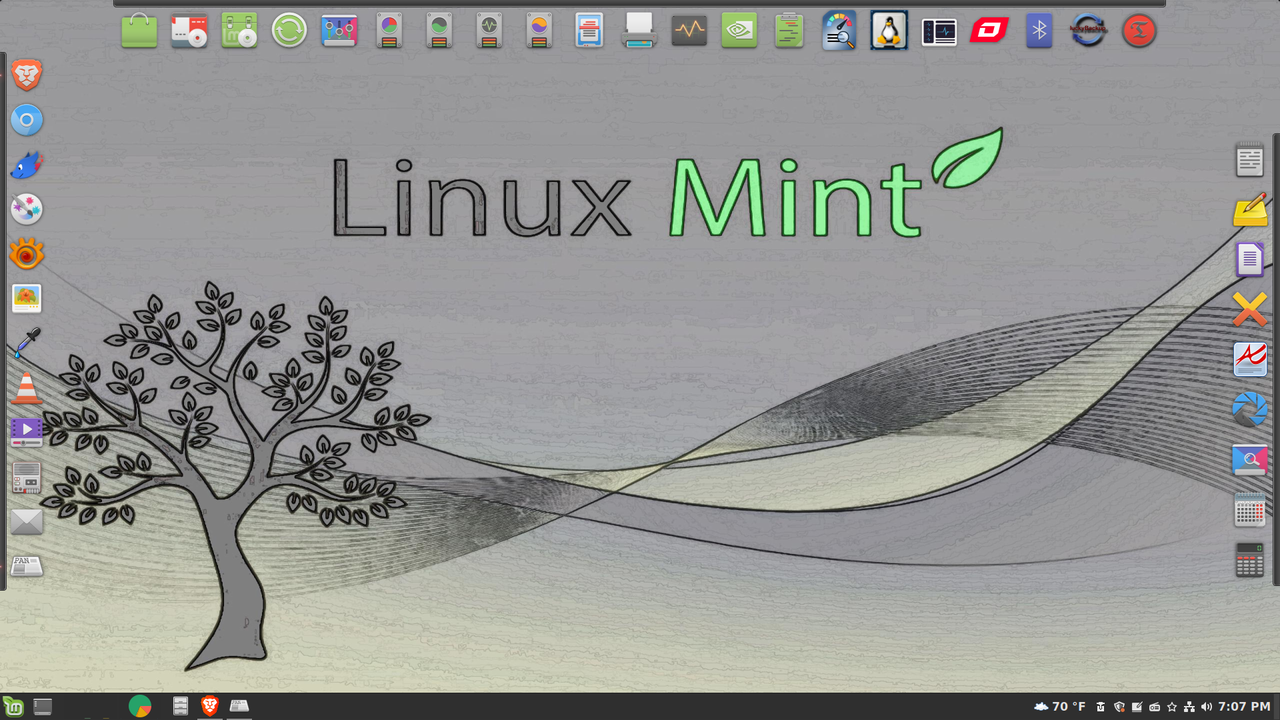
taskbar (panel) with autohide enabled.
Same here, Ron. I use Plank and set it to autohide and have to scroll
over the panels to make them appear. Otherwise, it's a clean desktop with no icons.
I very rarely even use the start menu, as I have most of what I use regularly on the panels.
Here:
https://i.postimg.cc/Qtq2xfKy/Screenshot-from-2026-04-10-19-07-26.png
I have set them to not disappear just to illustrate them.
rbowman wrote:
I very seldom used it but with
Windows Terminal I always had to change the default back to cmd.
I used to do that, but now I just use the powershell. All the old DOS >commands still work.
It is indeed annoying, but you get used to it. All I can tell you for
sure is that on this MacBook Air M4, even though I have half the RAM of
my Zephyrus G14 (16GB vs 32GB), a processor that is only supposed to be around 50% faster (M4 vs 5900HS), and an NVMe which has been benchmarked
to be around the same, the system is consistently snappy. Whether in
Windows or in Linux, the PC is obviously fast. However, there are
moments in the day where it might have a few delays here and there. On
the Mac, I have yet to experience this. It is a beautiful machine that I
do not regret buying. It truly showcases how brilliant Apple's move to
their own architecture was.
The best part was when I asked the guy who was selling it for way less
than he would get on eBay whether there was a warranty left. He
scrambled to check and then confirmed that 3 years of total coverage had been purchased from the very beginning. His work bought it for him (and since replaced it with a MacBook Pro), so he was obviously not aware of
the details. I'm basically good to go with this thing all the way to
August of 2028.
Looks very nice.
Thanks for posting.
On 2026-04-11, CrudeSausage <crude@sausa.ge> wrote:
<snips>
It is indeed annoying, but you get used to it. All I can tell you for
sure is that on this MacBook Air M4, even though I have half the RAM of
my Zephyrus G14 (16GB vs 32GB), a processor that is only supposed to be
around 50% faster (M4 vs 5900HS), and an NVMe which has been benchmarked
to be around the same, the system is consistently snappy. Whether in
Windows or in Linux, the PC is obviously fast. However, there are
moments in the day where it might have a few delays here and there. On
the Mac, I have yet to experience this. It is a beautiful machine that I
do not regret buying. It truly showcases how brilliant Apple's move to
their own architecture was.
The best part was when I asked the guy who was selling it for way less
than he would get on eBay whether there was a warranty left. He
scrambled to check and then confirmed that 3 years of total coverage had
been purchased from the very beginning. His work bought it for him (and
since replaced it with a MacBook Pro), so he was obviously not aware of
the details. I'm basically good to go with this thing all the way to
August of 2028.
I didn't realize you had bought a new (to you) Mac.
Congratulations. I
thought you were using the older Intel one.
I guess I wasn't paying
attention. At some point (fairly soon) I'm going to getting my wife a Mac Mini 4 (or 5). A lot of people are telling her (for what's she doing) a Mac would work better than her Windows 11 PC. I may be asking for advice when that time comes. I like Linux, so won't be moving away from it. (Unlike her, however, I'm not producing AI ads and advertising — or building websites.)
As for your "new" MacBook Air it sounds like you got a good deal. Does it allow you to play games?
What does your wife think of the Mac? I'll be
honest, if I had to choose between Windows or a Mac, I would go with the
Mac. (Fortunately I don't have to make that choice.)
chrisv wrote:
rbowman wrote:
I very seldom used it but with
Windows Terminal I always had to change the default back to cmd.
I used to do that, but now I just use the powershell. All the old
DOS commands still work.
As do many UNIX commands, it must be said. And powershell is
open-source!
On 2026-04-11 1:17 p.m., RonB wrote:
On 2026-04-11, CrudeSausage <crude@sausa.ge> wrote:
<snips>
It is indeed annoying, but you get used to it. All I can tell you for
sure is that on this MacBook Air M4, even though I have half the RAM of
my Zephyrus G14 (16GB vs 32GB), a processor that is only supposed to be
around 50% faster (M4 vs 5900HS), and an NVMe which has been benchmarked >>> to be around the same, the system is consistently snappy. Whether in
Windows or in Linux, the PC is obviously fast. However, there are
moments in the day where it might have a few delays here and there. On
the Mac, I have yet to experience this. It is a beautiful machine that I >>> do not regret buying. It truly showcases how brilliant Apple's move to
their own architecture was.
The best part was when I asked the guy who was selling it for way less
than he would get on eBay whether there was a warranty left. He
scrambled to check and then confirmed that 3 years of total coverage had >>> been purchased from the very beginning. His work bought it for him (and
since replaced it with a MacBook Pro), so he was obviously not aware of
the details. I'm basically good to go with this thing all the way to
August of 2028.
I didn't realize you had bought a new (to you) Mac.
I always enjoy buying computers when I feel that they are good deals.
$800 CAD for a pristine condition M4 MacBook Air with 16GB RAM and with
a warranty until 2028 seemed difficult to pass up. Even if my main
computer were to die right now, I enjoy knowing that I have a fantastic backup in the Mac... or I could just use them for different purposes.
Congratulations. I
thought you were using the older Intel one.
I had some fun with it, but it was mostly an accidental purchase that I
hope my son will have fun playing with eventually.
I guess I wasn't paying
attention. At some point (fairly soon) I'm going to getting my wife a Mac
Mini 4 (or 5). A lot of people are telling her (for what's she doing) a Mac >> would work better than her Windows 11 PC. I may be asking for advice when
that time comes. I like Linux, so won't be moving away from it. (Unlike her, >> however, I'm not producing AI ads and advertising — or building websites.) >>
As for your "new" MacBook Air it sounds like you got a good deal. Does it
allow you to play games?
I tried Civilization 7 on it, but it wasn't as smooth as it is on my
older gaming laptop with discrete GPU. It's definitely playable, or it
can at least be configured to be a passable experience, but I prefer it
on a gaming machine. I'm going to exclusively play 2D side-scrollers on
it instead. Those are usually my favourite type of game anyway and they
run fine on the Mac.
What does your wife think of the Mac? I'll be
honest, if I had to choose between Windows or a Mac, I would go with the
Mac. (Fortunately I don't have to make that choice.)
My wife doesn't care about technology at all. She told me so this
morning. She told me that she is content using her 2020 MSI until she dies.
On 2026-04-11 1:17 p.m., RonB wrote:
On 2026-04-11, CrudeSausage <crude@sausa.ge> wrote:
<snips>
It is indeed annoying, but you get used to it. All I can tell you for
sure is that on this MacBook Air M4, even though I have half the RAM of
my Zephyrus G14 (16GB vs 32GB), a processor that is only supposed to be
around 50% faster (M4 vs 5900HS), and an NVMe which has been benchmarked >>> to be around the same, the system is consistently snappy. Whether in
Windows or in Linux, the PC is obviously fast. However, there are
moments in the day where it might have a few delays here and there. On
the Mac, I have yet to experience this. It is a beautiful machine that I >>> do not regret buying. It truly showcases how brilliant Apple's move to
their own architecture was.
The best part was when I asked the guy who was selling it for way less
than he would get on eBay whether there was a warranty left. He
scrambled to check and then confirmed that 3 years of total coverage had >>> been purchased from the very beginning. His work bought it for him (and
since replaced it with a MacBook Pro), so he was obviously not aware of
the details. I'm basically good to go with this thing all the way to
August of 2028.
I didn't realize you had bought a new (to you) Mac.
I always enjoy buying computers when I feel that they are good deals.
$800 CAD for a pristine condition M4 MacBook Air with 16GB RAM and with
a warranty until 2028 seemed difficult to pass up. Even if my main
computer were to die right now, I enjoy knowing that I have a fantastic backup in the Mac... or I could just use them for different purposes.
Congratulations. I
thought you were using the older Intel one.
I had some fun with it, but it was mostly an accidental purchase that I
hope my son will have fun playing with eventually.
I guess I wasn't paying
attention. At some point (fairly soon) I'm going to getting my wife a Mac
Mini 4 (or 5). A lot of people are telling her (for what's she doing)
a Mac would work better than her Windows 11 PC. I may be asking for
advice when that time comes. I like Linux, so won't be moving away
from it. (Unlike her, however, I'm not producing AI ads and advertising
— or building websites.)
As for your "new" MacBook Air it sounds like you got a good deal.
Does it allow you to play games?
I tried Civilization 7 on it, but it wasn't as smooth as it is on my
older gaming laptop with discrete GPU. It's definitely playable, or it
can at least be configured to be a passable experience, but I prefer it
on a gaming machine. I'm going to exclusively play 2D side-scrollers on
it instead. Those are usually my favourite type of game anyway and they
run fine on the Mac.
FYI, there's new reports this week about hardware shortages hitting
Apple,
including on the mini (I assume select configurations?) so I'd not delay
too long on any contemplated purchases .. its IMO likely to get worse
before better, and I'd guess that some of it could be because Apple
generally resists changing product prices.
On 2026-04-11, CrudeSausage <crude@sausa.ge> wrote:
On 2026-04-11 1:17 p.m., RonB wrote:
On 2026-04-11, CrudeSausage <crude@sausa.ge> wrote:
<snips>
It is indeed annoying, but you get used to it. All I can tell you for
sure is that on this MacBook Air M4, even though I have half the RAM of >>>> my Zephyrus G14 (16GB vs 32GB), a processor that is only supposed to be >>>> around 50% faster (M4 vs 5900HS), and an NVMe which has been benchmarked >>>> to be around the same, the system is consistently snappy. Whether in
Windows or in Linux, the PC is obviously fast. However, there are
moments in the day where it might have a few delays here and there. On >>>> the Mac, I have yet to experience this. It is a beautiful machine that I >>>> do not regret buying. It truly showcases how brilliant Apple's move to >>>> their own architecture was.
The best part was when I asked the guy who was selling it for way less >>>> than he would get on eBay whether there was a warranty left. He
scrambled to check and then confirmed that 3 years of total coverage had >>>> been purchased from the very beginning. His work bought it for him (and >>>> since replaced it with a MacBook Pro), so he was obviously not aware of >>>> the details. I'm basically good to go with this thing all the way to
August of 2028.
I didn't realize you had bought a new (to you) Mac.
I always enjoy buying computers when I feel that they are good deals.
$800 CAD for a pristine condition M4 MacBook Air with 16GB RAM and with
a warranty until 2028 seemed difficult to pass up. Even if my main
computer were to die right now, I enjoy knowing that I have a fantastic
backup in the Mac... or I could just use them for different purposes.
I like messing with different machines also, but they almost just run Linux. (Lot of variety in Linux).
Congratulations. I
thought you were using the older Intel one.
I had some fun with it, but it was mostly an accidental purchase that I
hope my son will have fun playing with eventually.
I've got a 2014 MacBook Air that I never use and the Mac Mini (2012) is used occasionally for testing something related to screenwriting. Emacs (with Fountain-Mode, Trelby (trying to figure how to get it working right on a Mac), Beat (kind of a Highland clone that uses Fountain files — reason why I
wanted to try a Mac), Fade In and ScriptThing for DOS under DOSBox-X (works well on the Mac), Writer Solo and a few others. I don't think I've turned on the MacBook Air in about five months. Should probably charge it.
I guess I wasn't paying
attention. At some point (fairly soon) I'm going to getting my wife a Mac >>> Mini 4 (or 5). A lot of people are telling her (for what's she doing) a Mac >>> would work better than her Windows 11 PC. I may be asking for advice when >>> that time comes. I like Linux, so won't be moving away from it. (Unlike her,
however, I'm not producing AI ads and advertising — or building websites.)
As for your "new" MacBook Air it sounds like you got a good deal. Does it >>> allow you to play games?
I tried Civilization 7 on it, but it wasn't as smooth as it is on my
older gaming laptop with discrete GPU. It's definitely playable, or it
can at least be configured to be a passable experience, but I prefer it
on a gaming machine. I'm going to exclusively play 2D side-scrollers on
it instead. Those are usually my favourite type of game anyway and they
run fine on the Mac.
I've heard of Civilization (probably saw the original one being played at some point). Didn't know they were up to version 7. I don't know what "2D side-scrollers" are. I assume 2D game that are more the old style arcade games.
What does your wife think of the Mac? I'll be
honest, if I had to choose between Windows or a Mac, I would go with the >>> Mac. (Fortunately I don't have to make that choice.)
My wife doesn't care about technology at all. She told me so this
morning. She told me that she is content using her 2020 MSI until she dies.
My wife is mostly that way. But people have telling her she needs a Mac for her line of work — so we'll probably getting one. I figure she run Mac Mini and her Windows 11 PC on the same monitor and just switch back and forth.
At any rate, she has an iPhone, an iPad and an Apple Watch. So she's already bought into the ecosystem. Like a lot of people, she's not thrilled with Windows 11.
On 4/11/26 17:09, CrudeSausage wrote:
On 2026-04-11 1:17 p.m., RonB wrote:
On 2026-04-11, CrudeSausage <crude@sausa.ge> wrote:
<snips>
It is indeed annoying, but you get used to it. All I can tell you for
sure is that on this MacBook Air M4, even though I have half the RAM of >>>> my Zephyrus G14 (16GB vs 32GB), a processor that is only supposed to be >>>> around 50% faster (M4 vs 5900HS), and an NVMe which has been
benchmarked
to be around the same, the system is consistently snappy. Whether in
Windows or in Linux, the PC is obviously fast. However, there are
moments in the day where it might have a few delays here and there. On >>>> the Mac, I have yet to experience this. It is a beautiful machine
that I
do not regret buying. It truly showcases how brilliant Apple's move to >>>> their own architecture was.
The best part was when I asked the guy who was selling it for way less >>>> than he would get on eBay whether there was a warranty left. He
scrambled to check and then confirmed that 3 years of total coverage
had
been purchased from the very beginning. His work bought it for him (and >>>> since replaced it with a MacBook Pro), so he was obviously not aware of >>>> the details. I'm basically good to go with this thing all the way to
August of 2028.
I didn't realize you had bought a new (to you) Mac.
I always enjoy buying computers when I feel that they are good deals.
$800 CAD for a pristine condition M4 MacBook Air with 16GB RAM and
with a warranty until 2028 seemed difficult to pass up. Even if my
main computer were to die right now, I enjoy knowing that I have a
fantastic backup in the Mac... or I could just use them for different
purposes.
That does sound like a good deal. Nice.
On 2026-04-13 2:26 a.m., RonB wrote:
On 2026-04-11, CrudeSausage <crude@sausa.ge> wrote:
On 2026-04-11 1:17 p.m., RonB wrote:
On 2026-04-11, CrudeSausage <crude@sausa.ge> wrote:
<snips>
It is indeed annoying, but you get used to it. All I can tell you for >>>>> sure is that on this MacBook Air M4, even though I have half the RAM of >>>>> my Zephyrus G14 (16GB vs 32GB), a processor that is only supposed to be >>>>> around 50% faster (M4 vs 5900HS), and an NVMe which has been benchmarked >>>>> to be around the same, the system is consistently snappy. Whether in >>>>> Windows or in Linux, the PC is obviously fast. However, there are
moments in the day where it might have a few delays here and there. On >>>>> the Mac, I have yet to experience this. It is a beautiful machine that I >>>>> do not regret buying. It truly showcases how brilliant Apple's move to >>>>> their own architecture was.
The best part was when I asked the guy who was selling it for way less >>>>> than he would get on eBay whether there was a warranty left. He
scrambled to check and then confirmed that 3 years of total coverage had >>>>> been purchased from the very beginning. His work bought it for him (and >>>>> since replaced it with a MacBook Pro), so he was obviously not aware of >>>>> the details. I'm basically good to go with this thing all the way to >>>>> August of 2028.
I didn't realize you had bought a new (to you) Mac.
I always enjoy buying computers when I feel that they are good deals.
$800 CAD for a pristine condition M4 MacBook Air with 16GB RAM and with
a warranty until 2028 seemed difficult to pass up. Even if my main
computer were to die right now, I enjoy knowing that I have a fantastic
backup in the Mac... or I could just use them for different purposes.
I like messing with different machines also, but they almost just run Linux. >> (Lot of variety in Linux).
Congratulations. I
thought you were using the older Intel one.
I had some fun with it, but it was mostly an accidental purchase that I
hope my son will have fun playing with eventually.
I've got a 2014 MacBook Air that I never use and the Mac Mini (2012) is used >> occasionally for testing something related to screenwriting. Emacs (with
Fountain-Mode, Trelby (trying to figure how to get it working right on a
Mac), Beat (kind of a Highland clone that uses Fountain files — reason why I
wanted to try a Mac), Fade In and ScriptThing for DOS under DOSBox-X (works >> well on the Mac), Writer Solo and a few others. I don't think I've turned on >> the MacBook Air in about five months. Should probably charge it.
I guess I wasn't paying
attention. At some point (fairly soon) I'm going to getting my wife a Mac >>>> Mini 4 (or 5). A lot of people are telling her (for what's she doing) a Mac
would work better than her Windows 11 PC. I may be asking for advice when >>>> that time comes. I like Linux, so won't be moving away from it. (Unlike her,
however, I'm not producing AI ads and advertising — or building websites.)
As for your "new" MacBook Air it sounds like you got a good deal. Does it >>>> allow you to play games?
I tried Civilization 7 on it, but it wasn't as smooth as it is on my
older gaming laptop with discrete GPU. It's definitely playable, or it
can at least be configured to be a passable experience, but I prefer it
on a gaming machine. I'm going to exclusively play 2D side-scrollers on
it instead. Those are usually my favourite type of game anyway and they
run fine on the Mac.
I've heard of Civilization (probably saw the original one being played at
some point). Didn't know they were up to version 7. I don't know what "2D
side-scrollers" are. I assume 2D game that are more the old style arcade
games.
Civilization just keeps getting better with each version, but people
will always say that the 4 was better than the 5 or that the 6th was
better than the seventh. I find that they are all very strong titles. As
for 2D side-scrollers, it is exactly what you think it is: a game where
the graphics aren't 3D and where the screen scrolls from one side to the other.
My wife is mostly that way. But people have telling her she needs a Mac for >> her line of work — so we'll probably getting one. I figure she run Mac MiniWhat does your wife think of the Mac? I'll be
honest, if I had to choose between Windows or a Mac, I would go with the >>>> Mac. (Fortunately I don't have to make that choice.)
My wife doesn't care about technology at all. She told me so this
morning. She told me that she is content using her 2020 MSI until she dies. >>
and her Windows 11 PC on the same monitor and just switch back and forth.
At any rate, she has an iPhone, an iPad and an Apple Watch. So she's already >> bought into the ecosystem. Like a lot of people, she's not thrilled with
Windows 11.
I wasn't sold on the Mac, but there is no denying that Apple does a
better job with its products than anyone else does. It's easy to join
teir club.
Apple has figured out that they don't have to be high end to sellwith-a19-pro-chipset-and-vibrant-colors/
computers.
It looks like they're now coming out with a $300 Mac Mini Neo. It
supposedly will use the iPhone 17 Pro CPU, an A19 Pro. (Not supposed to arrive until 2027.)
https://gagadget.com/en/705146-apples-upcoming-mac-neo-a-300-mini-pc-
| Sysop: | DaiTengu |
|---|---|
| Location: | Appleton, WI |
| Users: | 1,113 |
| Nodes: | 10 (0 / 10) |
| Uptime: | 492338:08:50 |
| Calls: | 14,238 |
| Files: | 186,312 |
| D/L today: |
4,148 files (1,346M bytes) |
| Messages: | 2,514,917 |